Quotations
An offer in your name, sent as a link or a PDF.
The quotation carries your letterhead, the wall drawn to scale, its figures, the price line by line, your terms and a technical sheet of the product. Your client reads it on a phone, and you see when they open it.
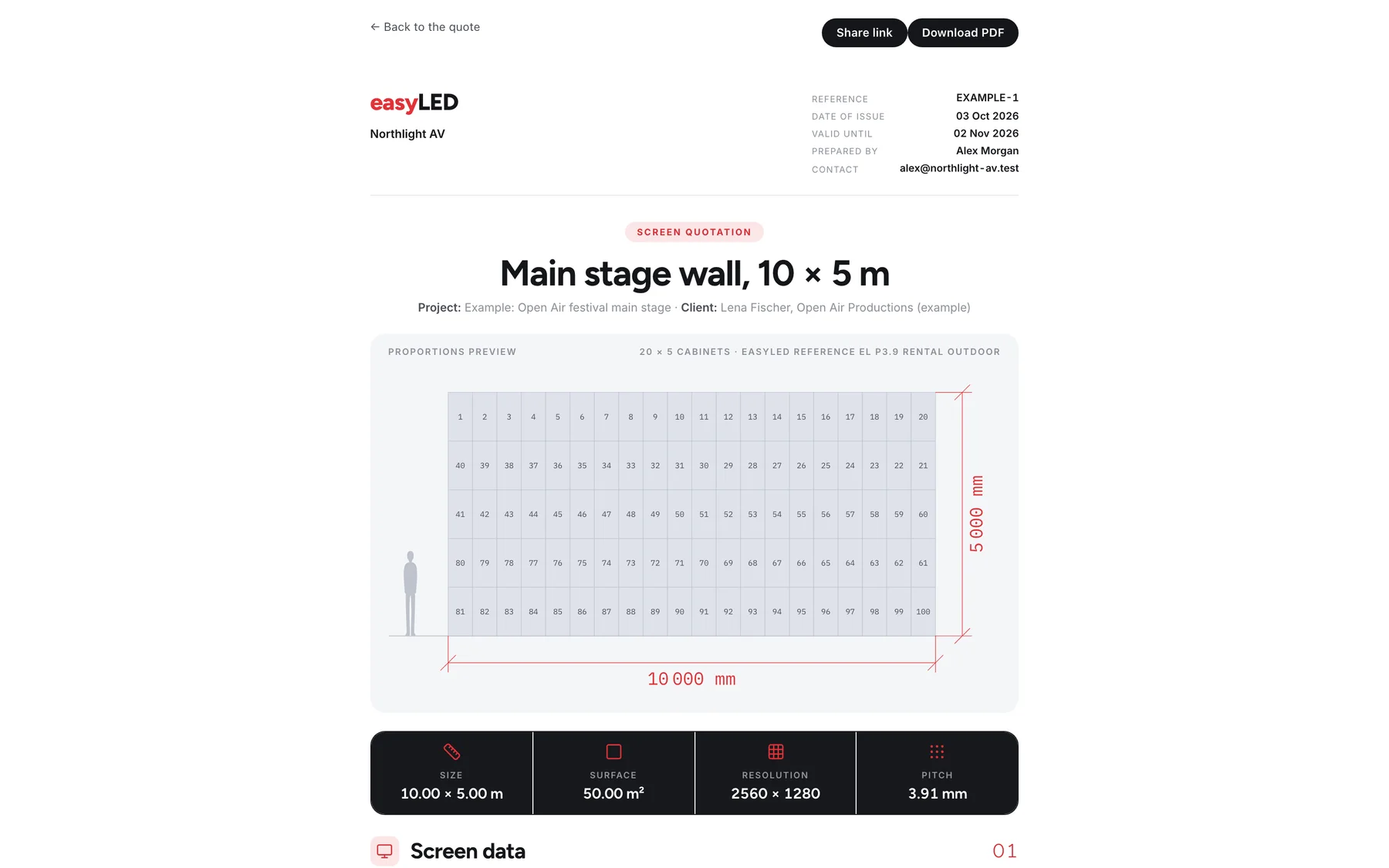
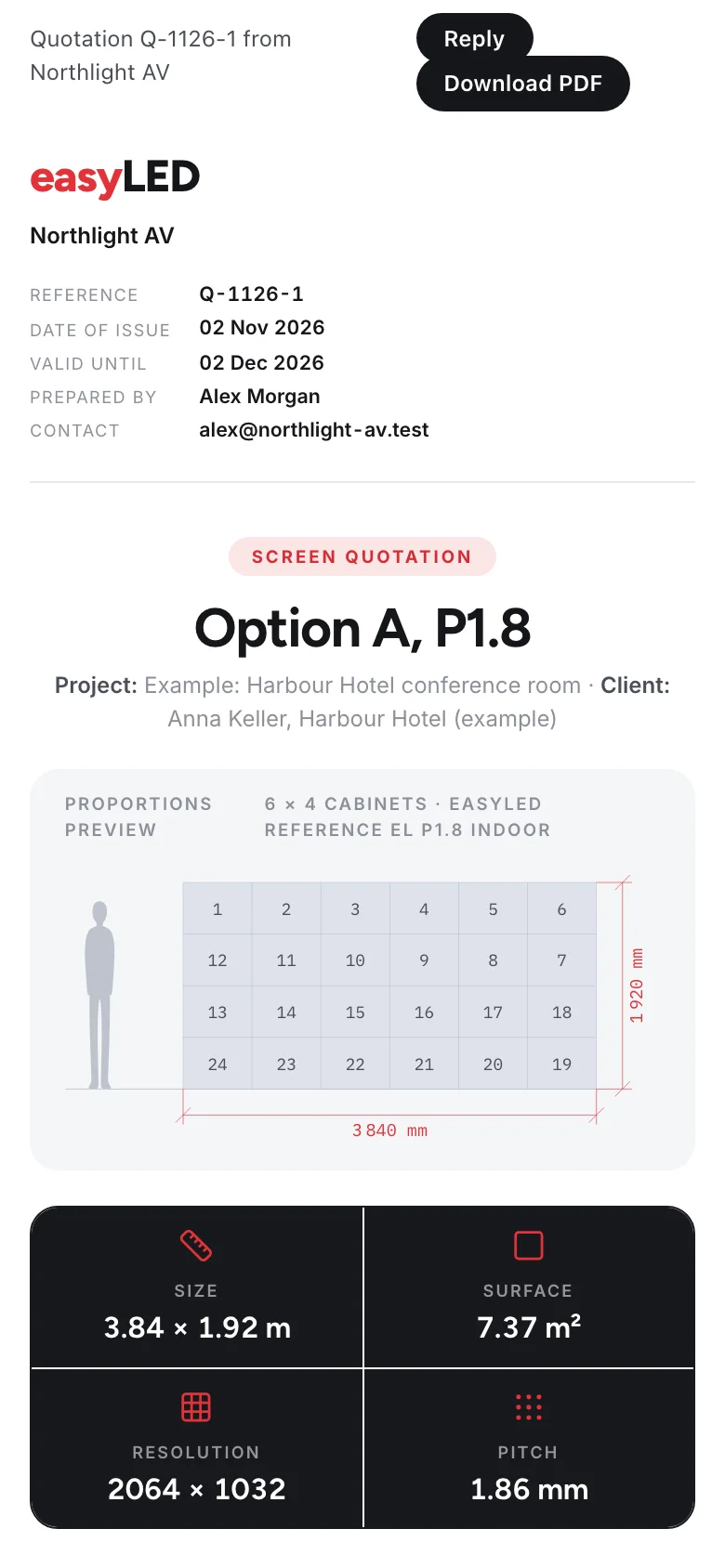
Screens from the app, filled with its example range and deals.
01
Every line of the price, and how it is paid
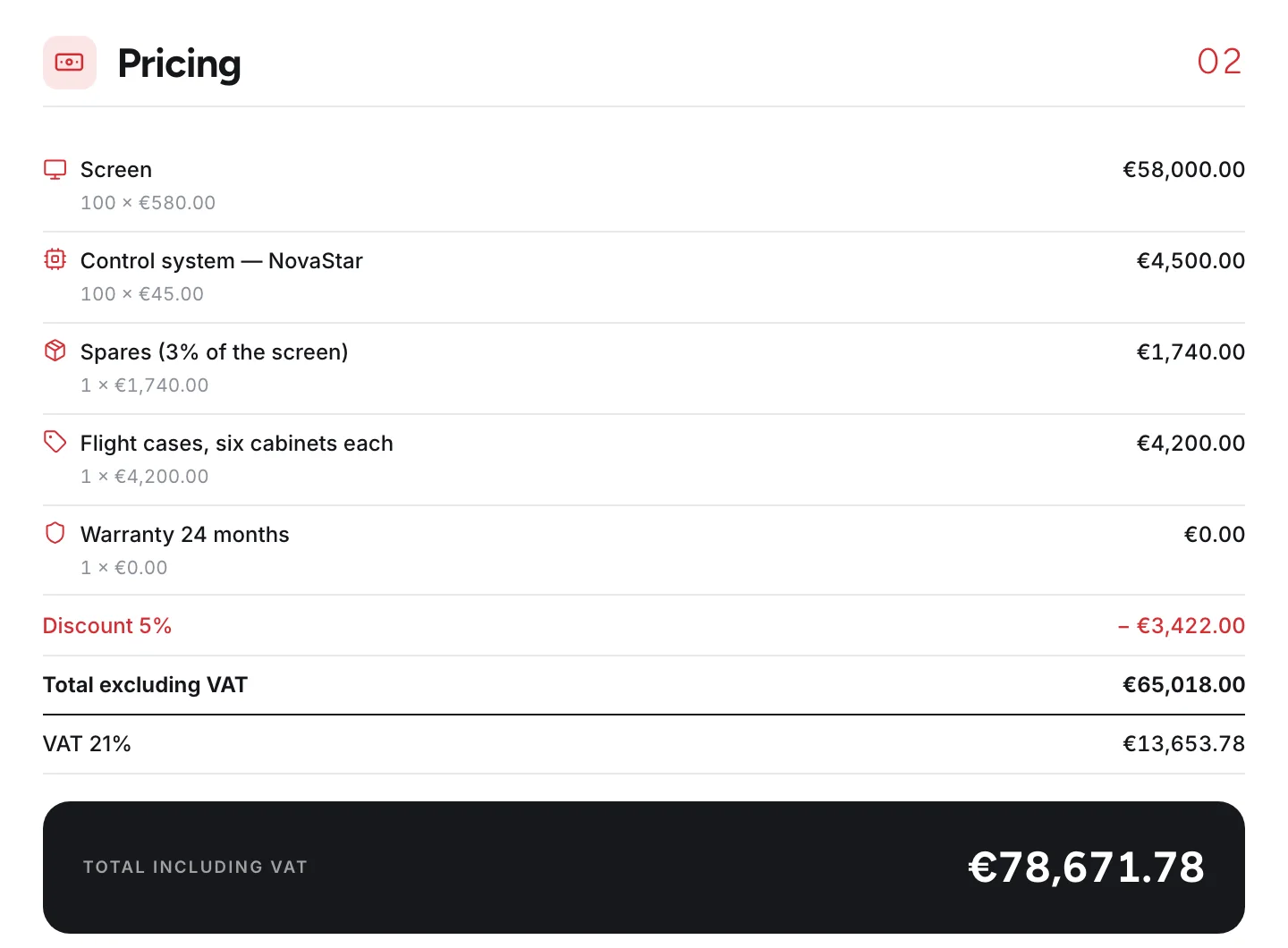
The pricing chapter lists the screen, the control system, the spares, every extra and the warranty, then the discount, the total before tax, the tax and the total. Under it the deposit and the balance, and after that your payment and delivery terms and two signature boxes.
- Lines with their quantity and unit price
- Discount, tax and total, rounded line by line
- Deposit and balance from the percentage you set
- Your terms, notes and disclaimer, written once in Settings
02
A link that tells you it was read
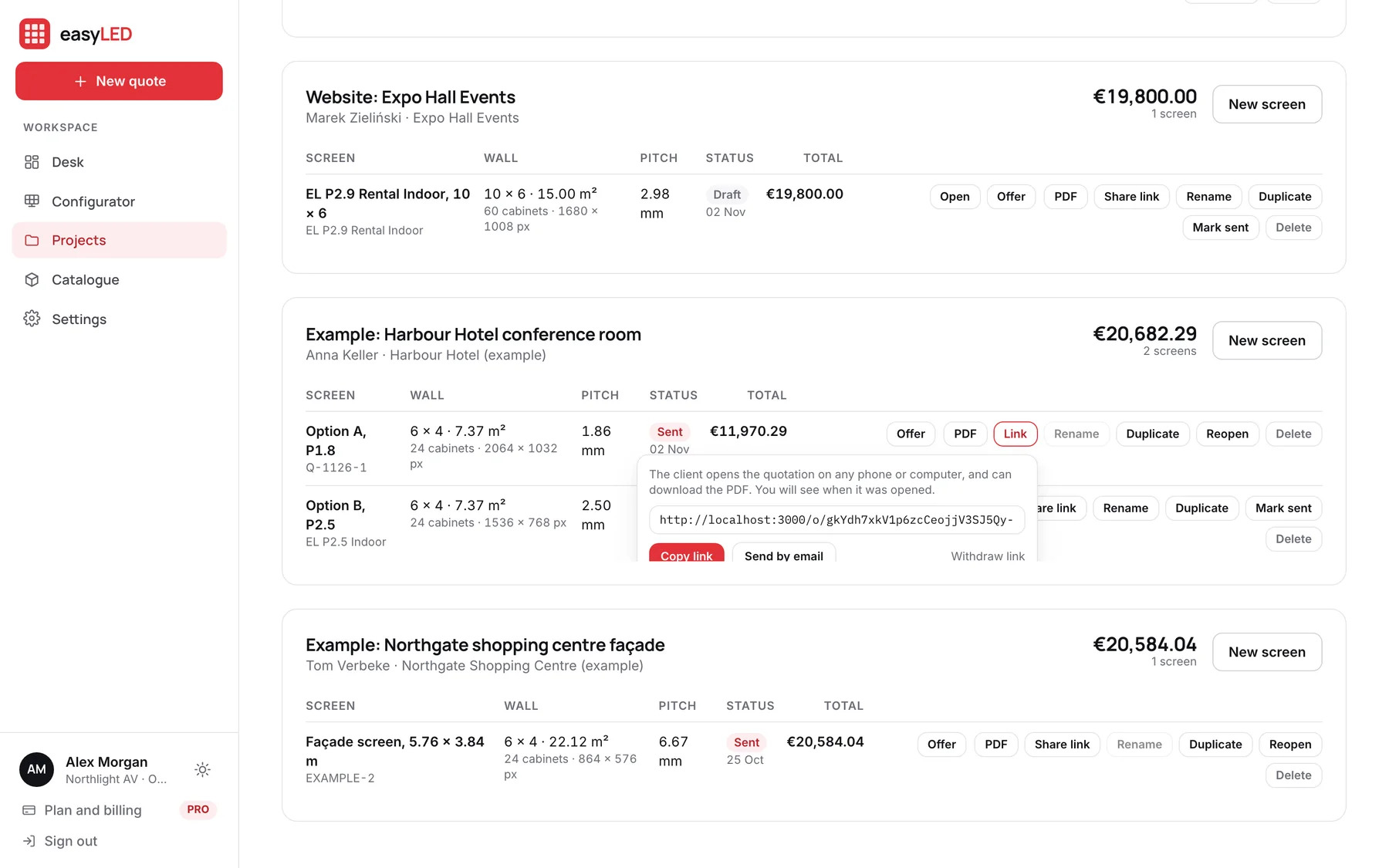
Share an offer and easyLED gives you a link to copy, or a ready email to send from your own mailbox. The client opens it on any phone or computer and can download the PDF. Your projects list then shows a tick, with how many times it was opened and when.
- Opens on a phone without an app or an account
- Opened, downloaded and when, shown on the quote and the desk
- Previews made by WhatsApp or Outlook are not counted
- Withdraw the link and the page says the offer was withdrawn
03
Your typefaces and your colour
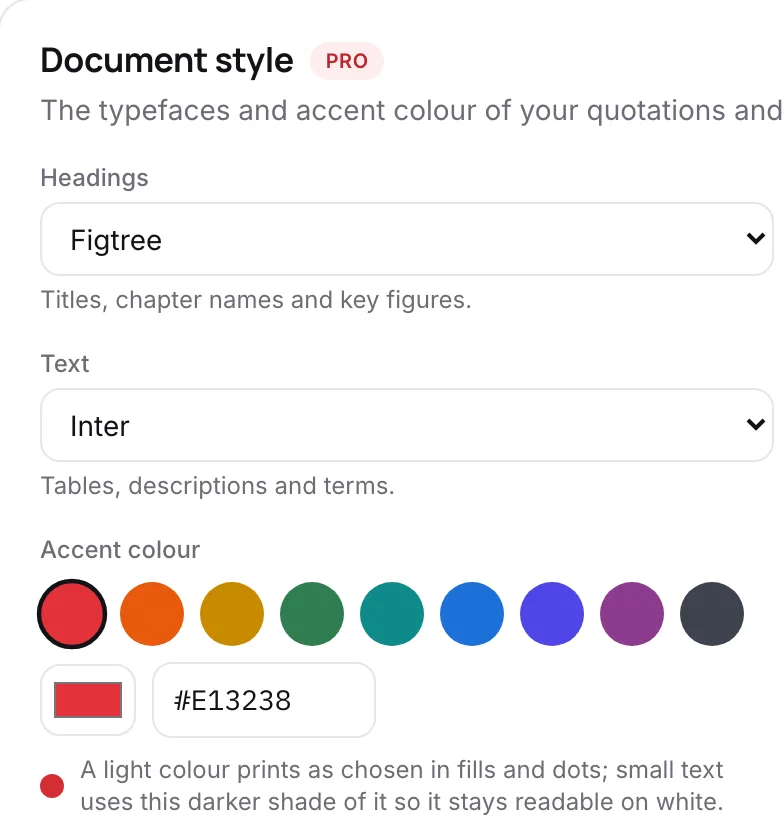
On PRO, the documents take two typefaces from a list of fourteen and the accent colour of your brand. Small text uses a darker shade of a light colour so it stays readable, and every PDF is set in the faces you chose.
- Fourteen typefaces with the accents of every European language
- Any accent colour, kept readable on white
- A live preview drawn from the real document
- One setting for quotations and technical sheets
In detail
Everything the quotation does
Numbered your way
Set a pattern with the month, the year and a running number. The next reference and the validity date are shown before you issue anything.
The drawing the installer follows
The wall is drawn to scale on page one, with the cabinets numbered in the cabling order chosen in the configurator.
The technical sheet attached
The product’s technical sheet follows the terms as an appendix, so the buyer has the data without asking for it.
Sent means sent
Once a quote is shared or marked sent, its wall cannot change. A new version is a duplicate with its own number, and the one the client holds stays as it was.
A4 PDF, printed from the same page
The PDF is the page itself, printed on A4 with your company and the page count at the foot, so the two can never disagree.
Options side by side
Two walls for one client sit in one project as option A and option B, each with its own quotation.
Questions
Asked about this feature
Questions
Does easyLED email the offer to my client?
No. It gives you the link, and a ready email to send from your own mailbox, so your client replies to you and the mail comes from your company.
Can I change a quote after I sent it?
Not the wall. A sent quote keeps the figures your client holds. Duplicate it, change the copy and send that as the next version.
Is the document style in every plan?
Choosing your own typefaces and accent colour is part of PRO. Every offer carries your logo and company details.
The other features
The rest of the app
Configurator
Size a wall by cabinets, by width or by the resolution the customer asked for. It is drawn to scale, priced from your catalogue and specified as you change it.
Catalogue
Import the factory list or type a product in. A model keeps every format it ships in, each with its own size, weight, power and price, and prints its own technical sheet.
Deal desk
Draft, open, sent and won deals on one board, every wall filed under its client, and a team that quotes from one catalogue with the limits you set.
Website configuratorPRO
A configurator on your own website. Visitors answer five plain questions, see the wall in your cabinets, and send a request that lands on your desk priced.
Try it on a wall you are quoting this week.
A new account opens with nine example products and four example deals, so every screen on this page is there to try before you load your own range.