Configurator
Size the wall, draw it and price it on one screen.
The configurator is where every quote starts. You set the size, pick a product from your own catalogue, and the price, the drawing and the specification change together as you go.
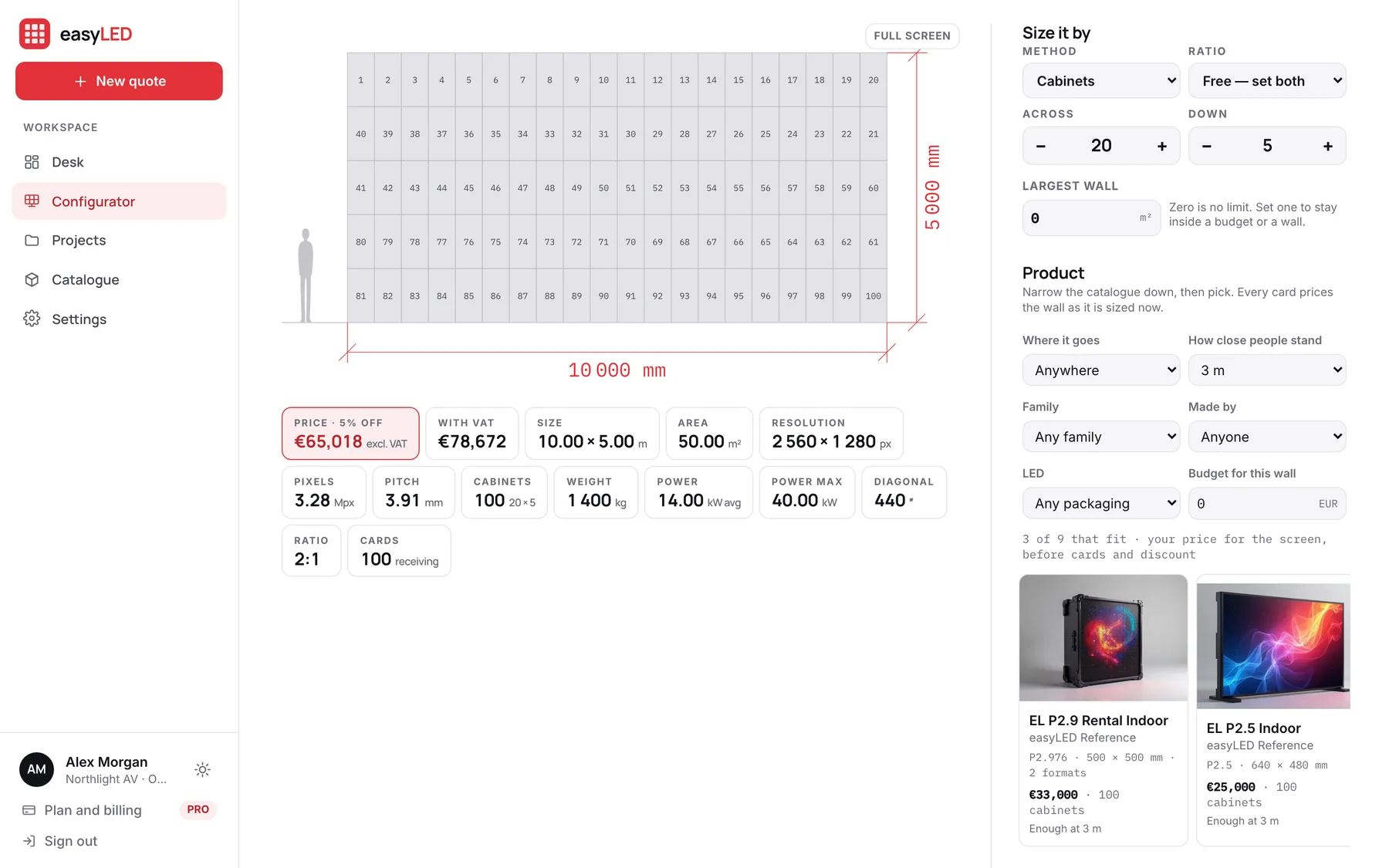
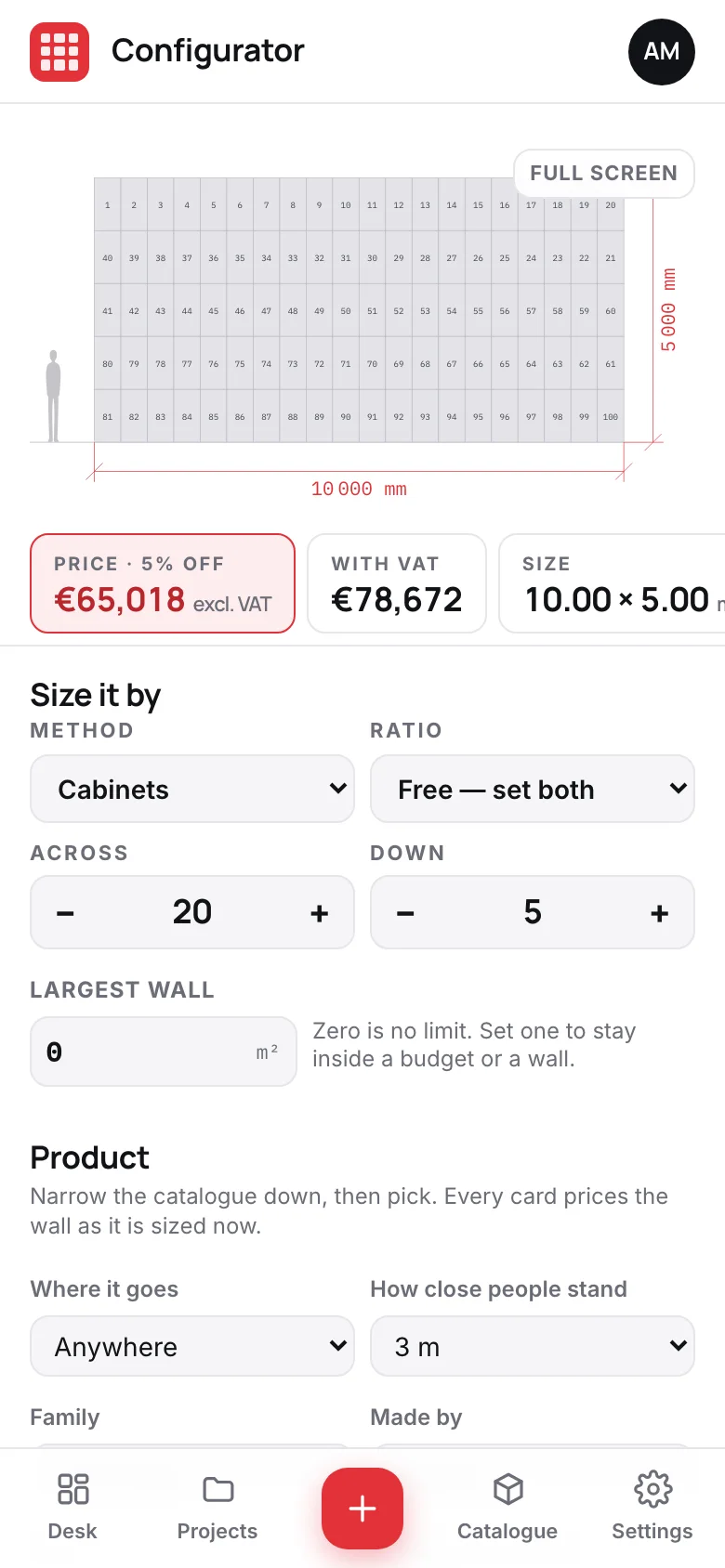
Screens from the app, filled with its example range and deals.
01
The figures an engineer asks for, already worked out
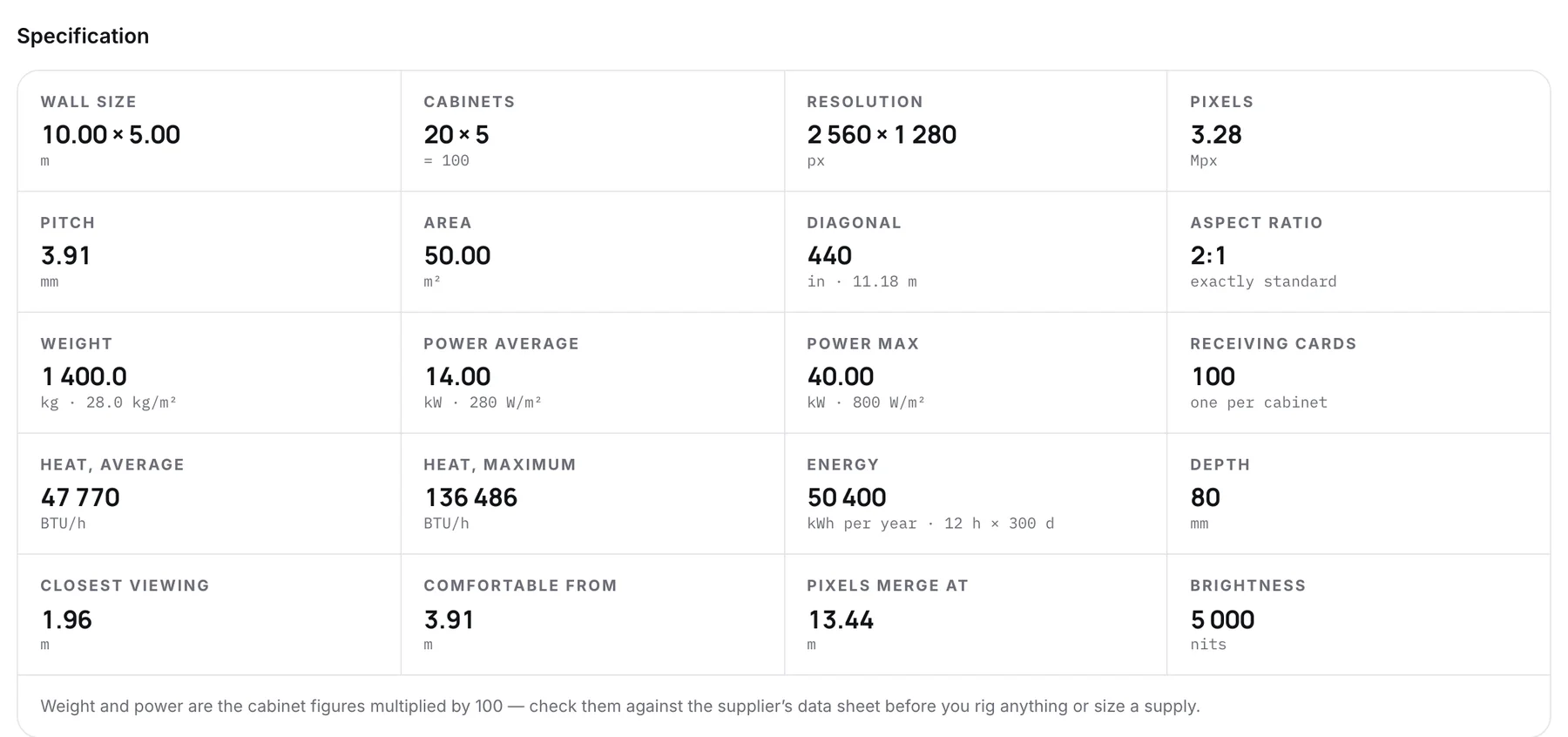
Every wall carries its full specification: size, resolution, pixel count, aspect ratio, weight per square metre, average and maximum power, heat in BTU per hour, yearly energy from the running hours you set, and the distances it reads well from. A figure the data sheet does not give is left out.
- Average and maximum power, per wall and per square metre
- Heat output and yearly energy from hours per day and days per year
- Closest and comfortable viewing distance from the pitch
- Receiving cards counted, one per cabinet
02
A price you can defend, line by line
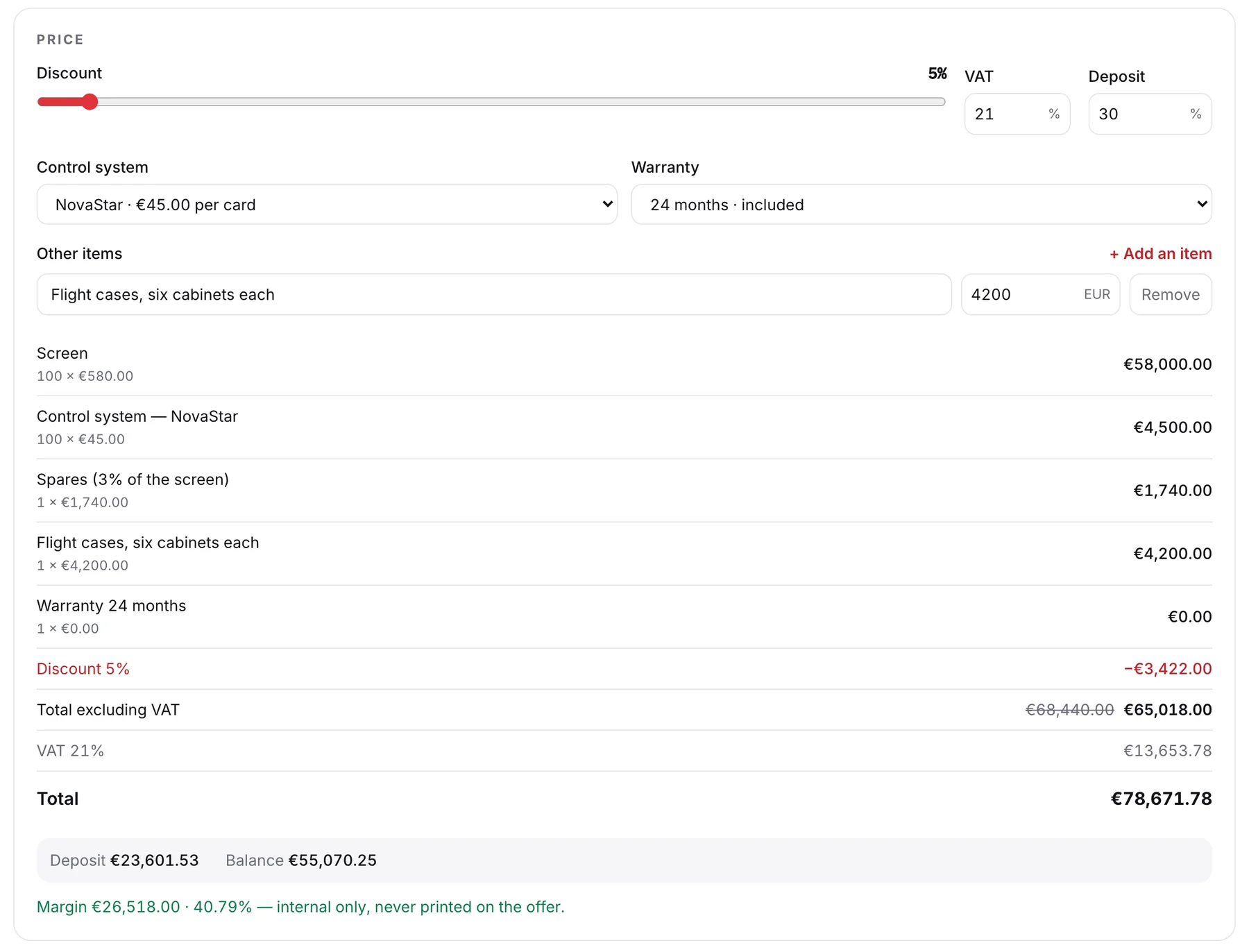
Under the drawing is the price panel. The screen comes from your catalogue at your sell price. You add the control system per receiving card, a longer warranty as a percentage of the screen, spares, a local package and anything else the job needs, then a discount, the tax and the deposit. Your margin shows on screen and never on the offer.
- Control system priced per card, from your own list
- Warranty extensions and spares as a percentage of the screen
- Saved local packages: installation, structure, freight in one tap
- Deposit and balance worked out from the percentage you set
03
Your rules, set once for the whole team
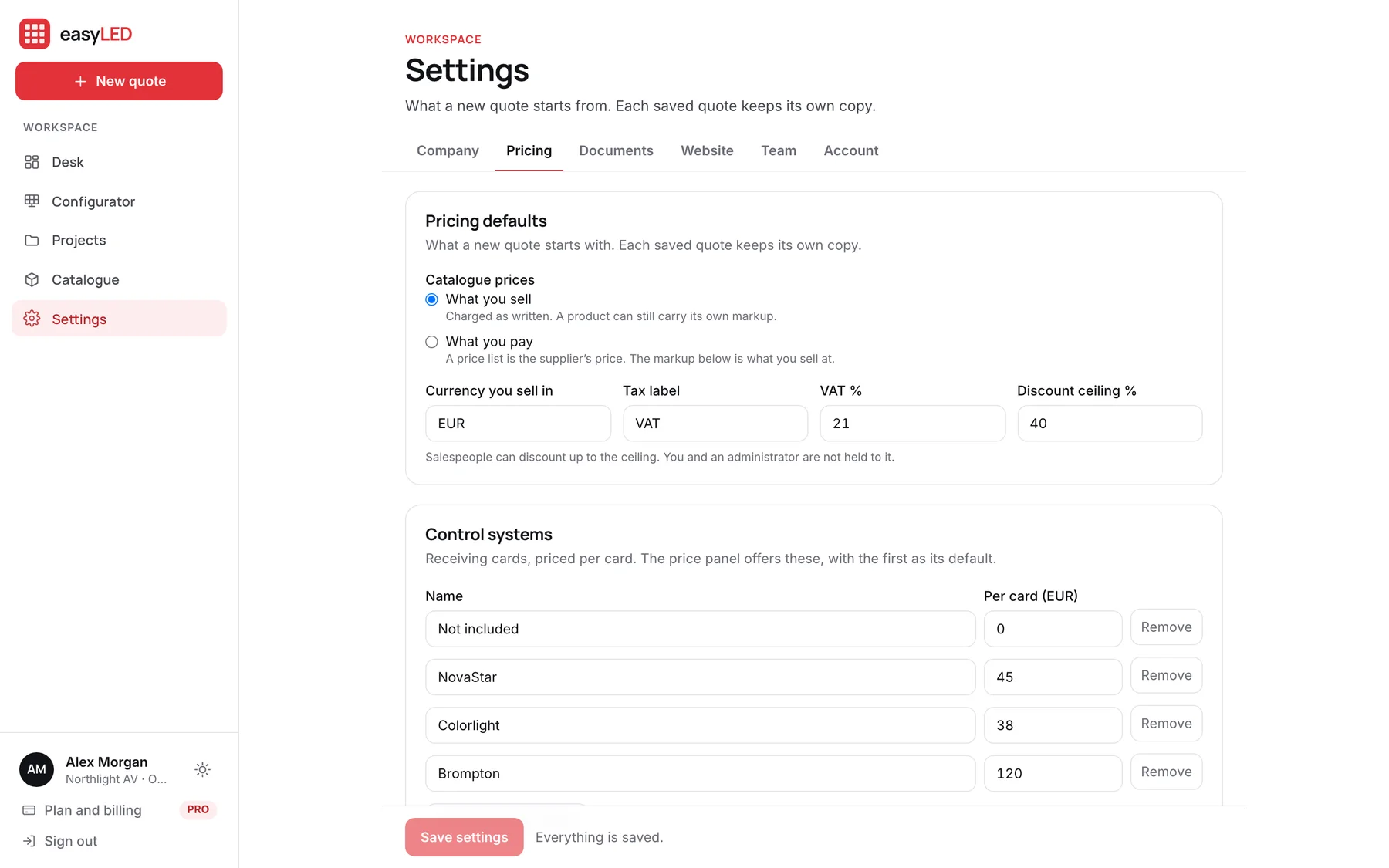
In Settings you say whether the catalogue holds what you sell for or what you pay, and if it is what you pay, the markup that turns it into a sell price. The currency, the tax label and rate, the control systems, the warranty steps and the local packages are set there too, and every new quote starts from them.
- Catalogue prices as sell prices, or as cost with your markup
- A tax label that reads VAT, GST or TVA, in the currency you sell in
- A discount ceiling that holds for salespeople
- A saved quote keeps its own copy if the settings change later
In detail
Everything the configurator does
Sizes the way the brief is written
By cabinets across and down, by a width in metres, or by a target such as Full HD or 4K. Named ratios fill in the rows; the free ratio lets you set both.
Stays inside a limit
Give it a largest wall in square metres and it takes cabinets off while keeping the shape, for a budget or an opening.
Finds the product that fits
Filter your catalogue by where the screen goes, how close people stand, family, maker, packaging and budget. Every card prices the wall at its current size.
Draws what the installer needs
A dimensioned elevation with a person for scale, cabinets numbered in one of eight cabling orders, and a full-screen view to show the customer.
Keeps every wall
Each wall you price is saved as you work. It waits in the history until you file it under a project for a client, or discard it.
Shares a wall as a link
Copy a link to the configuration and it opens on the same wall, product and grid. The free configurator on this site is the same component.
Questions
Asked about this feature
Questions
Is this the same as the free configurator on the website?
It is the same component, so the drawing and the figures are identical. In the app it picks from your own catalogue, prices the wall and saves it; the free one has reference cabinets and no prices.
Can a salesperson give away more discount than we allow?
No. You set a discount ceiling in Settings. Salespeople cannot go past it; owners and administrators are not held to it.
Does it work on a phone?
Yes. On a phone the drawing and the price stay at the top while you change the size and the product underneath, and the menu sits at the bottom of the screen.
The other features
The rest of the app
Catalogue
Import the factory list or type a product in. A model keeps every format it ships in, each with its own size, weight, power and price, and prints its own technical sheet.
Quotations
The offer carries your letterhead, the wall drawn to scale, the figures, the price and your terms, with the technical sheet attached. Send it as a link and see when it is opened.
Deal desk
Draft, open, sent and won deals on one board, every wall filed under its client, and a team that quotes from one catalogue with the limits you set.
Website configuratorPRO
A configurator on your own website. Visitors answer five plain questions, see the wall in your cabinets, and send a request that lands on your desk priced.
Try it on a wall you are quoting this week.
A new account opens with nine example products and four example deals, so every screen on this page is there to try before you load your own range.