Catalogue
The products you sell, with every format and every price.
Your catalogue holds the lines you actually stock. Import a factory price list or type a product in, and each model keeps its formats, its photographs and a technical sheet a buyer can read.
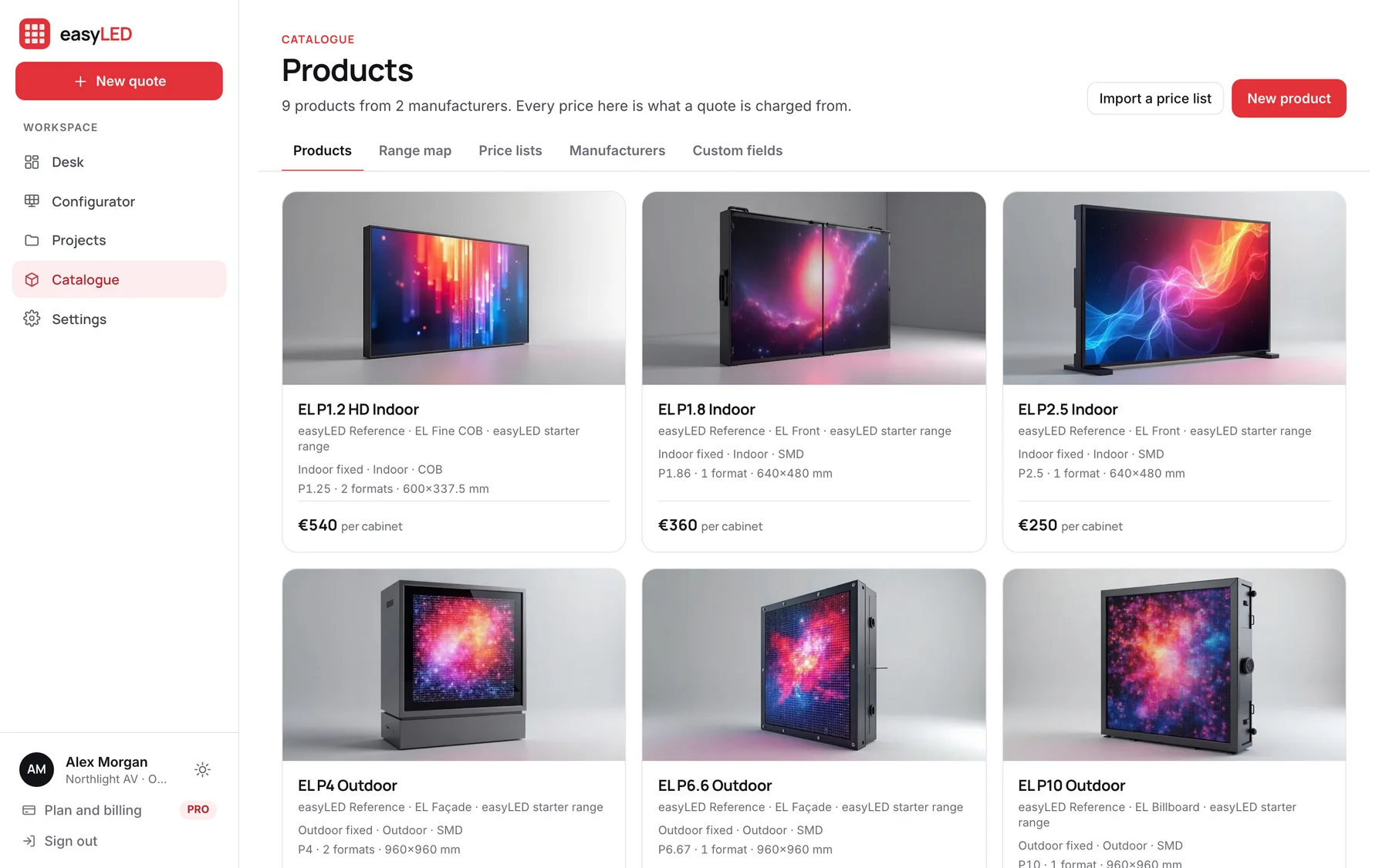
Screens from the app, filled with its example range and deals.
01
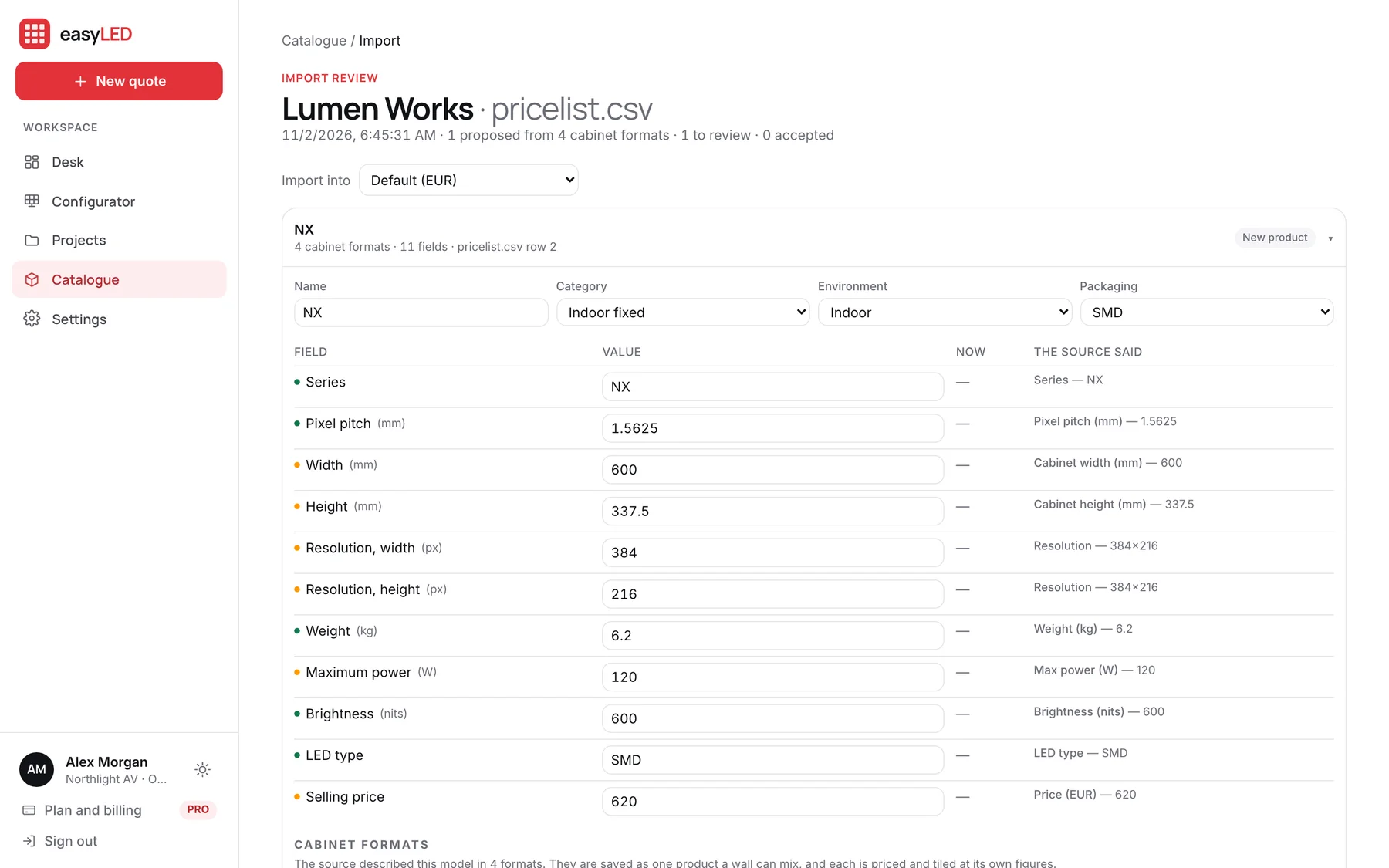
Import the list the factory emailed you
Drop an Excel or CSV price list and choose the manufacturer. easyLED reads the columns, folds the rows of one model into one product with its formats, and shows you every value next to what the source said before anything is saved. Next month, import the new list and it updates the formats it wrote.
- Excel, CSV and tab-separated files
- Rows of one model folded into formats, by series or by name
- Each value shown beside the cell it came from
- Nothing is written until you add it to the catalogue
02
An editor laid out like the sheet it prints
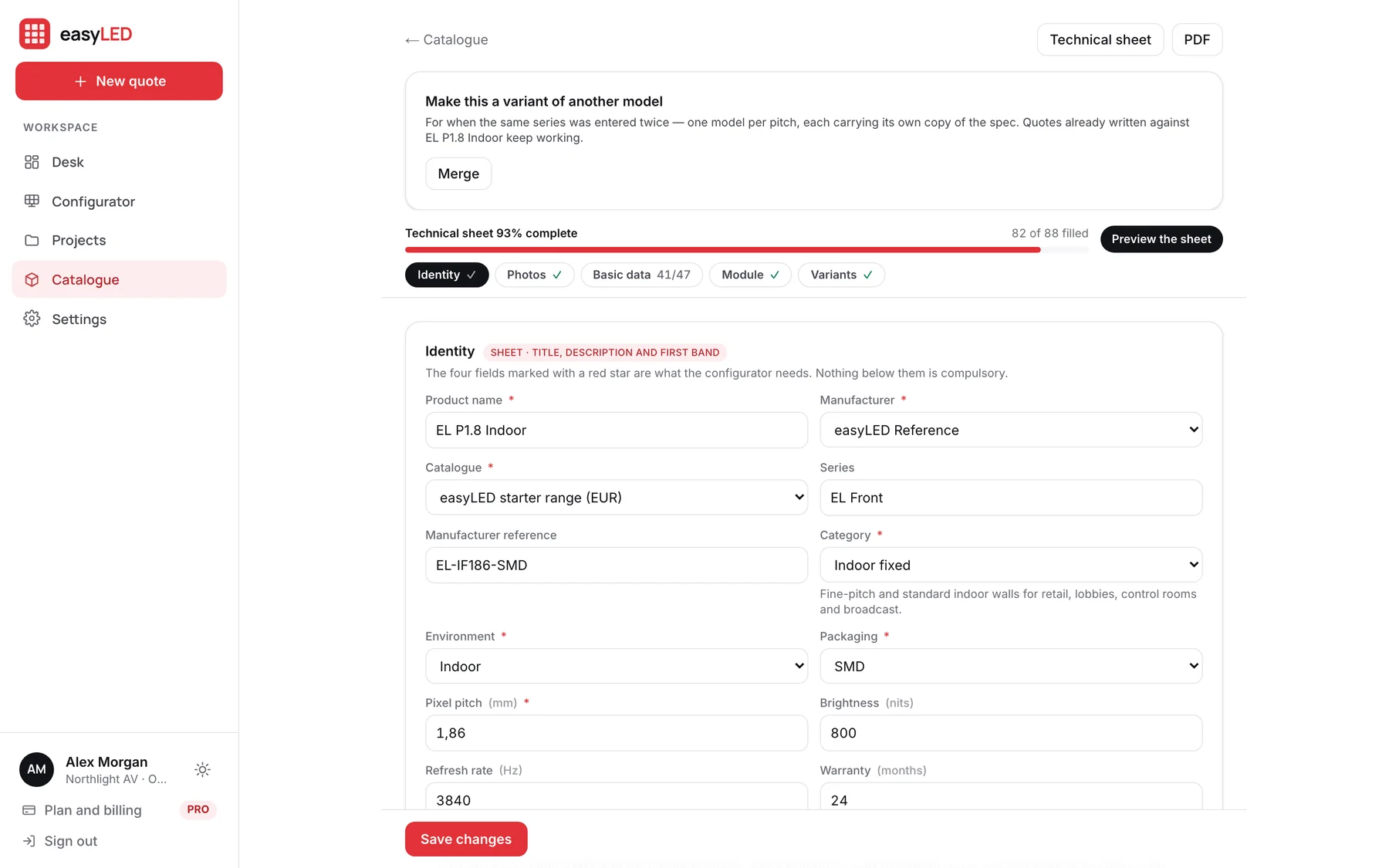
A product is edited in the order its technical sheet prints: identity, photographs, the basic data, the module and the cabinets. A bar at the top counts how much of the sheet is filled in, section by section, so you can see what a buyer will be missing.
- Photographs by place: lead, module, cabinet and installations
- Manufacturer data sheets kept with the product as PDFs
- Your own fields per product family, printed or kept internal
- Several formats per model, each priced on its own
03
A technical sheet in your name
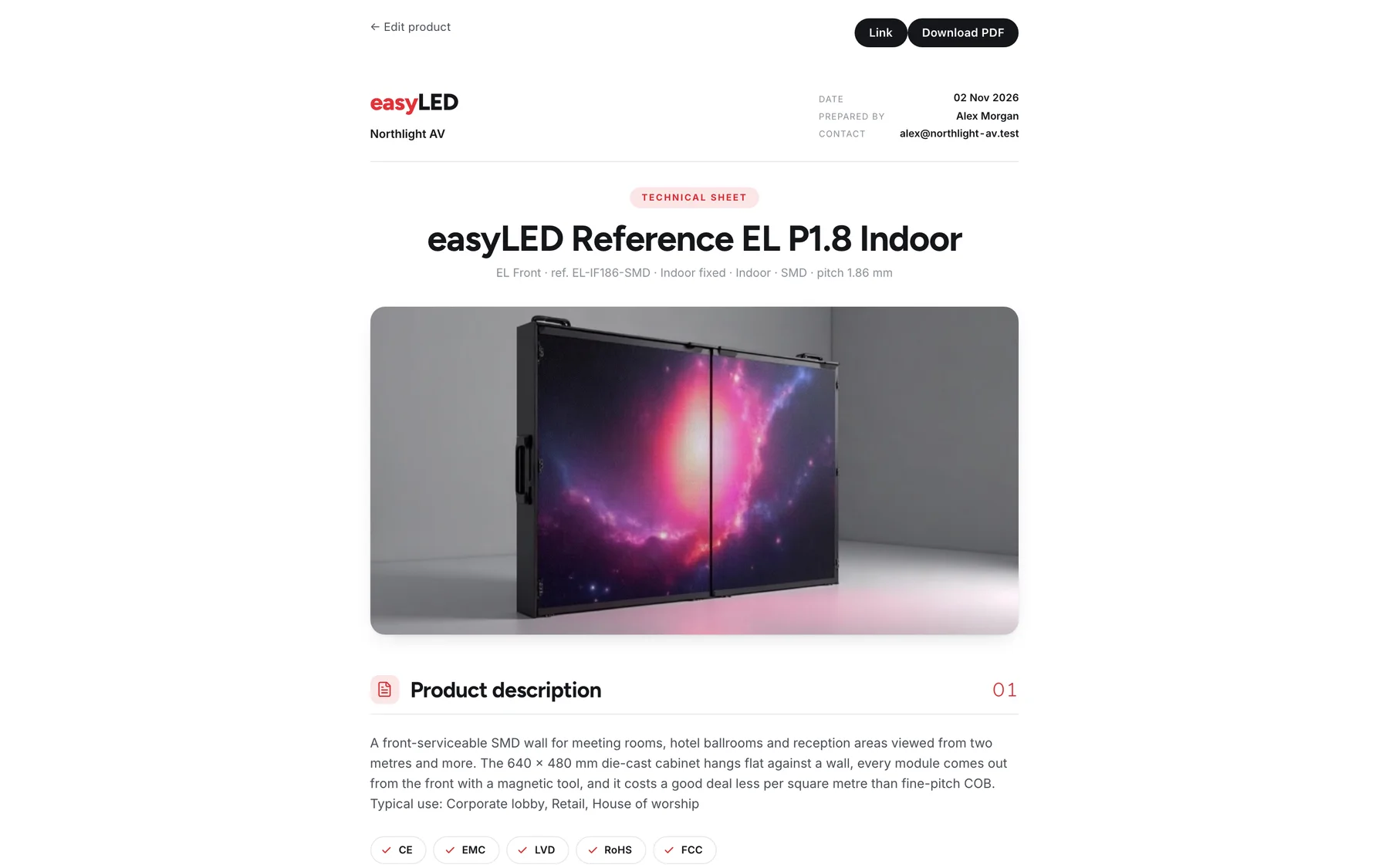
Every product prints a technical sheet with your letterhead: the lead photograph, a band of key figures, the full data in chapters, the module and cabinet tables and your reference installations. Blank fields are left off the page, and figures that follow from the pitch are worked out and marked.
- Open it as a page, download the PDF, or send a permanent link
- Certificates, control systems and options shown as tags
- Pixel density and viewing distances derived from the pitch
- The same sheet travels as an appendix to every quotation
In detail
Everything the catalogue does
Price lists in their own currency
A price list is one supplier in one currency. The same brand bought through two channels is two lists, and every product names the list it belongs to.
Priced the way the trade prices
Fine pitch is priced per cabinet; outdoor and transparent screens per square metre. The family decides, so a quote cannot be charged on the wrong basis.
A range map of what you sell
The whole range as one tree: price list, family, maker, model and formats, to check what you hold and where the gaps are.
Models entered twice, merged
If the same series was typed in as separate products, fold one into the other as formats. Quotes already written against it keep working.
Fields of your own
Add the attributes your manufacturers publish and we do not. They print on the sheet in their section, with their unit, unless you keep them internal.
A starter range to try
A new account opens with nine example products, indoor, outdoor and rental, with photographs and full data. Remove them in Settings when your own are in.
Questions
Asked about this feature
Questions
Do I have to type every product in by hand?
No. Import the price list your supplier sends as Excel or CSV. You review what was read before anything is saved, and a later list updates the same products.
Can one product come in more than one pitch or cabinet size?
Yes. A model holds its formats, for example 1.9, 2.5 and 3.9 mm in two cabinet sizes, and each format has its own weight, power, resolution and price.
Can a salesperson change the prices?
No. Salespeople read the catalogue and quote from it. Owners and administrators edit it.
The other features
The rest of the app
Configurator
Size a wall by cabinets, by width or by the resolution the customer asked for. It is drawn to scale, priced from your catalogue and specified as you change it.
Quotations
The offer carries your letterhead, the wall drawn to scale, the figures, the price and your terms, with the technical sheet attached. Send it as a link and see when it is opened.
Deal desk
Draft, open, sent and won deals on one board, every wall filed under its client, and a team that quotes from one catalogue with the limits you set.
Website configuratorPRO
A configurator on your own website. Visitors answer five plain questions, see the wall in your cabinets, and send a request that lands on your desk priced.
Try it on a wall you are quoting this week.
A new account opens with nine example products and four example deals, so every screen on this page is there to try before you load your own range.