Deal desk
Every deal, from the first wall to the order.
The desk is the first screen after you sign in. It shows what is in play and where each deal stands, and every wall anybody on your team priced is there, filed under its client.
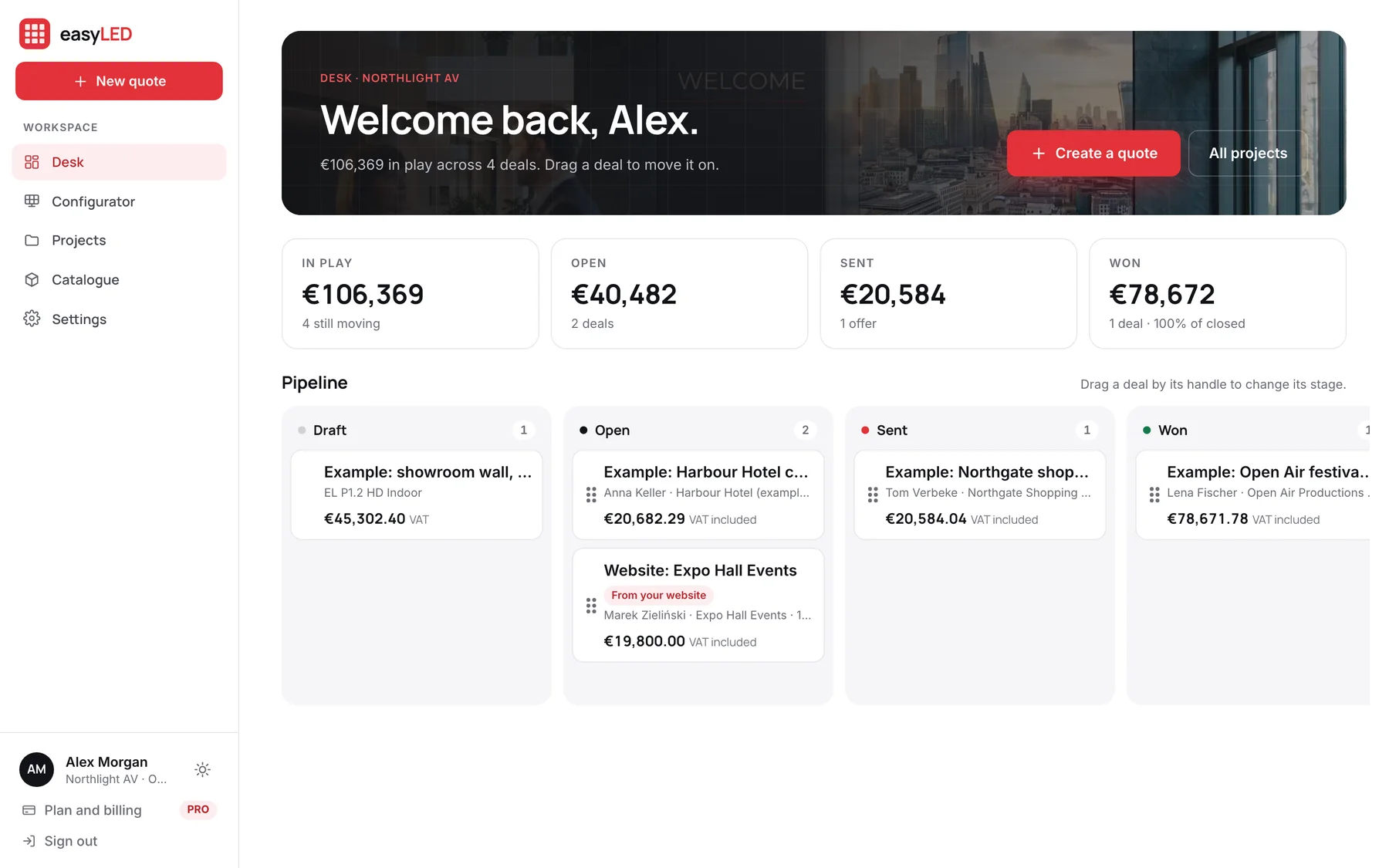
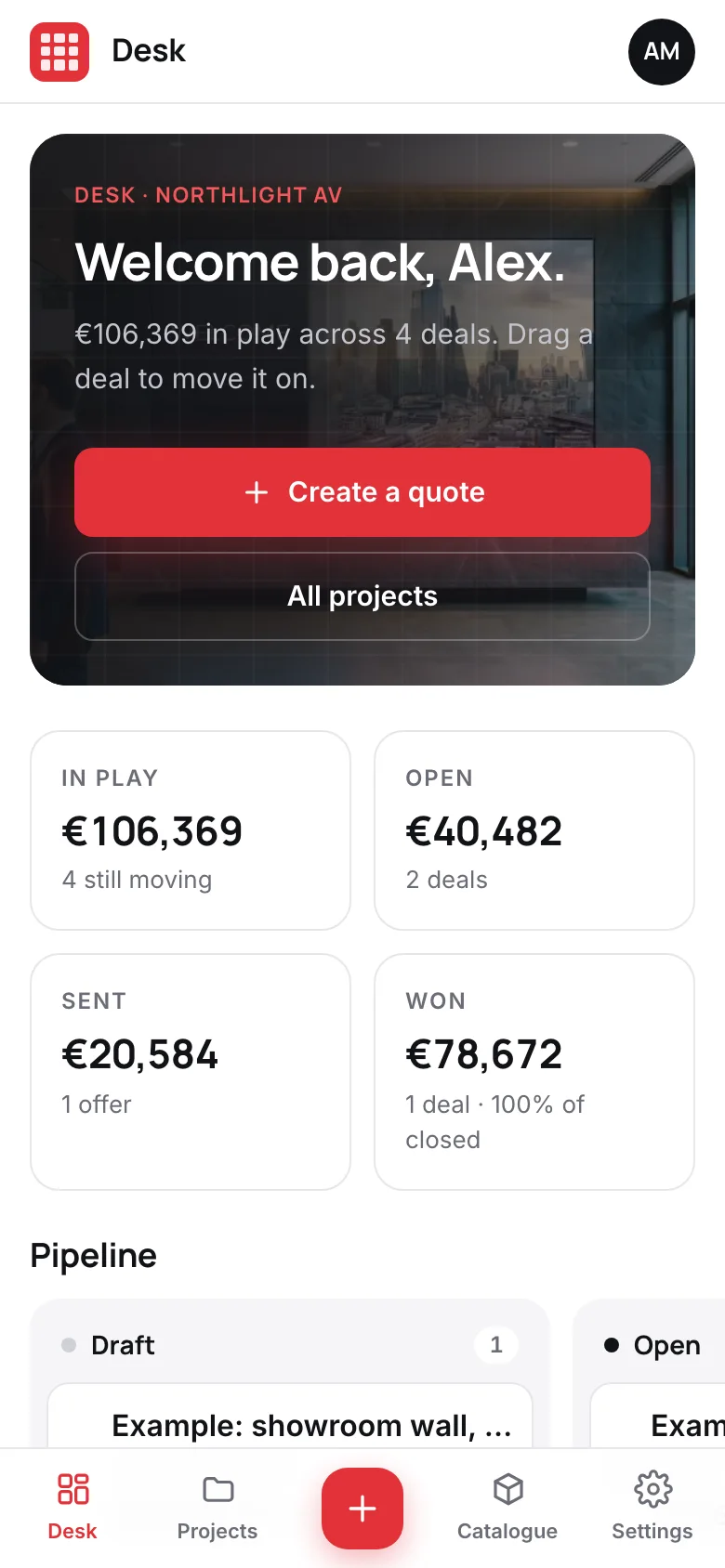
Screens from the app, filled with its example range and deals.
01
Projects, and the history of every wall
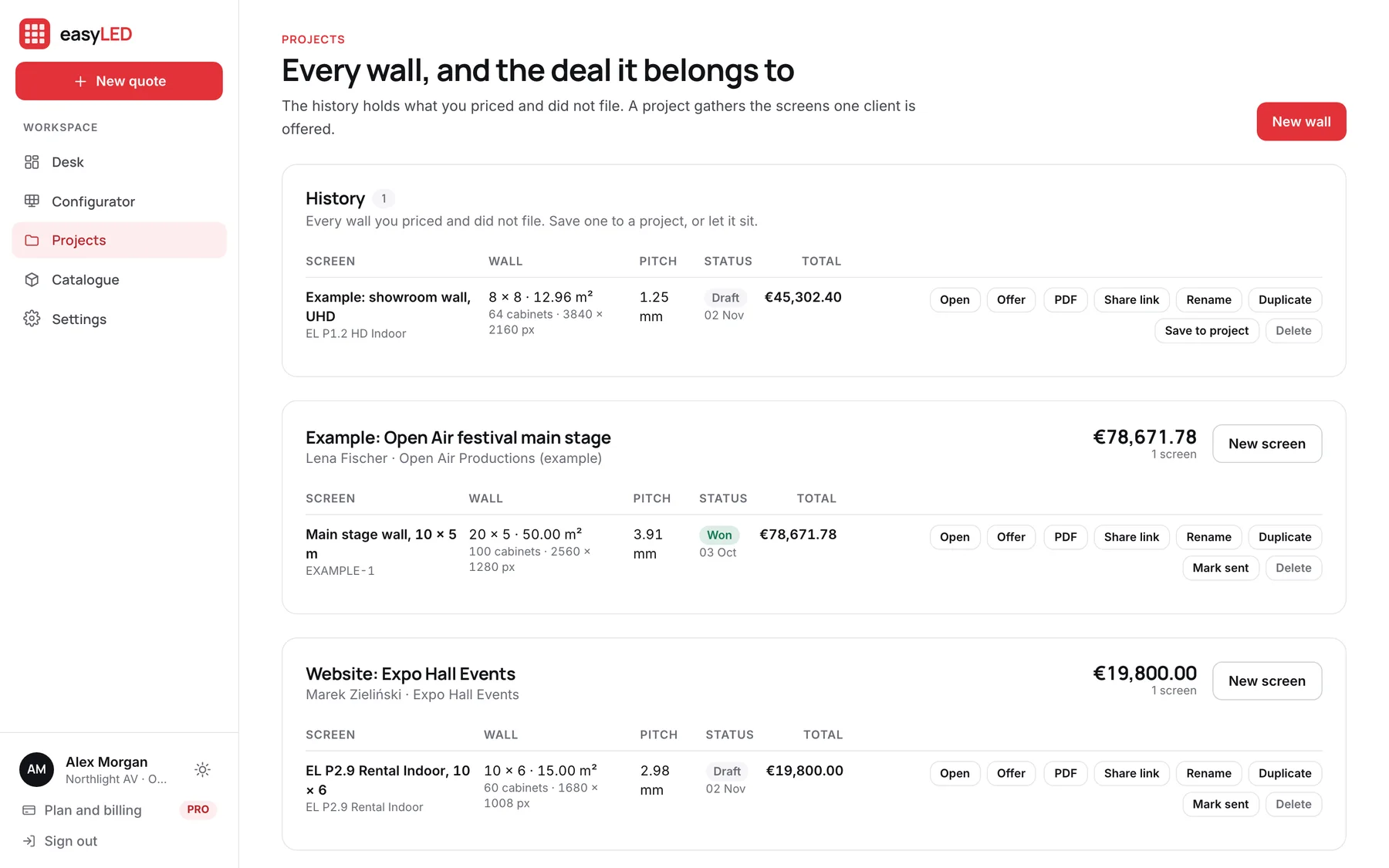
A project gathers the screens one client is offered, so option A and option B sit together with their totals. Above them is the history: every wall priced and not yet filed, which is where the quote somebody did on a phone on site is waiting.
- Open, offer, PDF, share, rename and duplicate from the list
- Status per screen: draft, sent, won or lost
- A Read tick when the client opened the offer
- Reopen a won or lost deal when it comes back
02
Requests from your website, on the same board
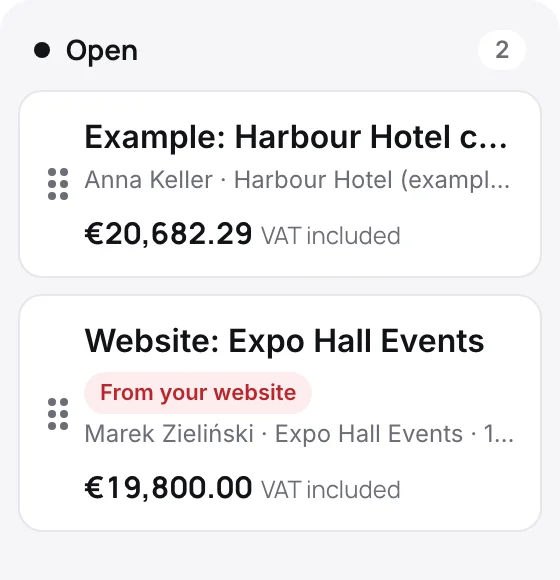
When a visitor asks for a quote through the configurator on your website, the request arrives as an open deal: a client, a project and a draft quote already priced at your list price. The card says it came from your website.
- Priced at list with your default control system and warranty
- What the visitor said kept as the project’s note
- An email to the owners and administrators when it arrives
03
A team that quotes from one catalogue
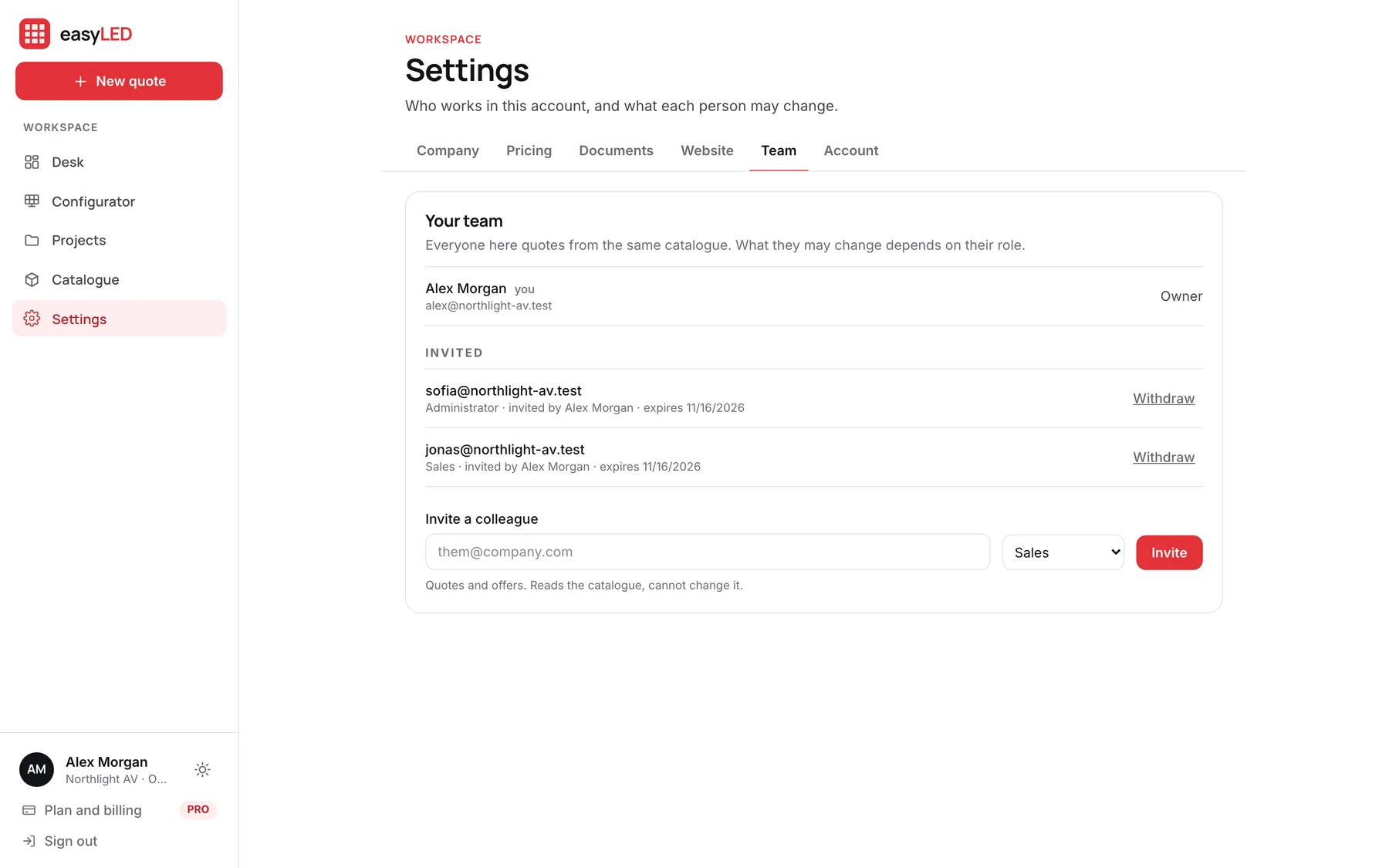
Invite colleagues as owners, administrators or salespeople. Everybody quotes from the same catalogue and the same settings; what they may change depends on the role. An invitation is a link you hand over, and only the address it was made for can accept it.
- Salespeople quote and send; they cannot change the catalogue
- Administrators run the catalogue, the settings and the team
- Suspend somebody and they are signed out everywhere
- A salesperson’s deals stay with the company when they leave
In detail
Everything the desk does
What is in play
Totals for the deals still moving, the open ones, the offers sent and the deals won, with the share of closed deals you won.
Moved by hand
Drag a deal by its handle from one column to the next. Won and lost are decisions you make, not guesses from dates.
Clients with their deals
The client’s name and company stay on every quote, so a later rename in your records does not rewrite an offer already sent.
Example deals to start from
A new account opens with four example deals, one in each column, priced from the example range, and a button in Settings removes them all.
On the phone in your hand
The desk, the projects and the configurator are laid out for a phone, with the menu at the bottom of the screen.
Signed out everywhere
Lost a laptop? Sign out of every device from your account. Suspending a colleague does the same for them.
Questions
Asked about this feature
Questions
Is this a CRM?
It is the part of a CRM an LED seller uses every day: clients, the walls offered to them and where each deal stands. It does not send mailings or log calls.
How many people can use one account?
PRO is priced for one user. Ask us about Enterprise for a team, with salespeople, administrators and partner users.
Do I lose a wall if I do not save it?
No. Every wall you price is saved as you work and waits in the history until you file it or discard it.
The other features
The rest of the app
Configurator
Size a wall by cabinets, by width or by the resolution the customer asked for. It is drawn to scale, priced from your catalogue and specified as you change it.
Catalogue
Import the factory list or type a product in. A model keeps every format it ships in, each with its own size, weight, power and price, and prints its own technical sheet.
Quotations
The offer carries your letterhead, the wall drawn to scale, the figures, the price and your terms, with the technical sheet attached. Send it as a link and see when it is opened.
Website configuratorPRO
A configurator on your own website. Visitors answer five plain questions, see the wall in your cabinets, and send a request that lands on your desk priced.
Try it on a wall you are quoting this week.
A new account opens with nine example products and four example deals, so every screen on this page is there to try before you load your own range.